 FrogBill
An editor that does the maths.
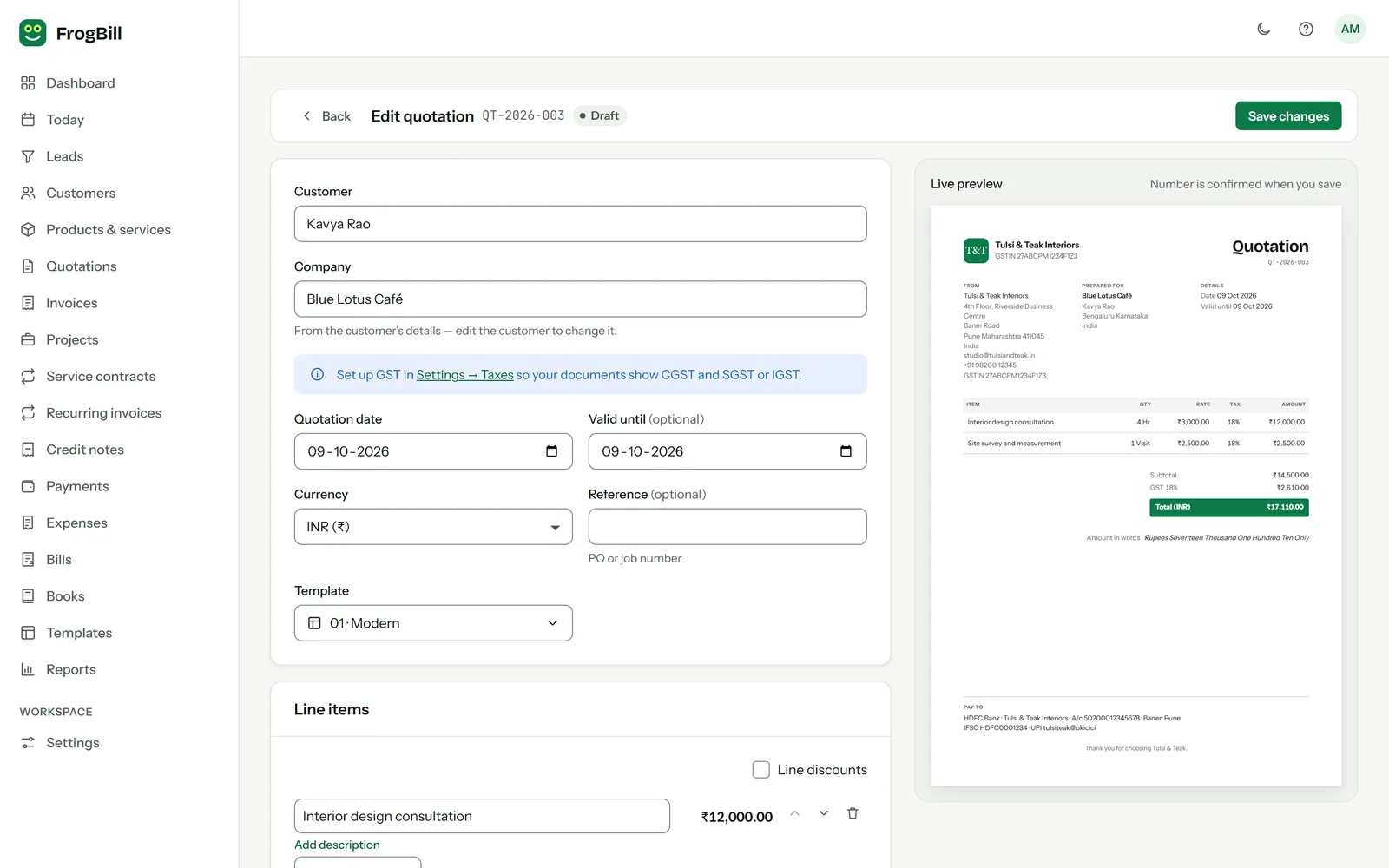
Pick the customer and your saved products. GST or VAT per line, line and bill discounts, and the total in words are worked out as you type.
Quotations
Make a quotation in two minutes, send it on WhatsApp before you leave the site, and see the moment your customer accepts. Then turn it into an invoice in one tap.
30 days free. No card needed.
What it does
Pick the customer and your saved products. GST or VAT per line, line and bill discounts, and the total in words are worked out as you type.
Your customer gets a link, not a PDF to pinch and zoom. They see a clean quotation with your logo, and can download the PDF if they want it.
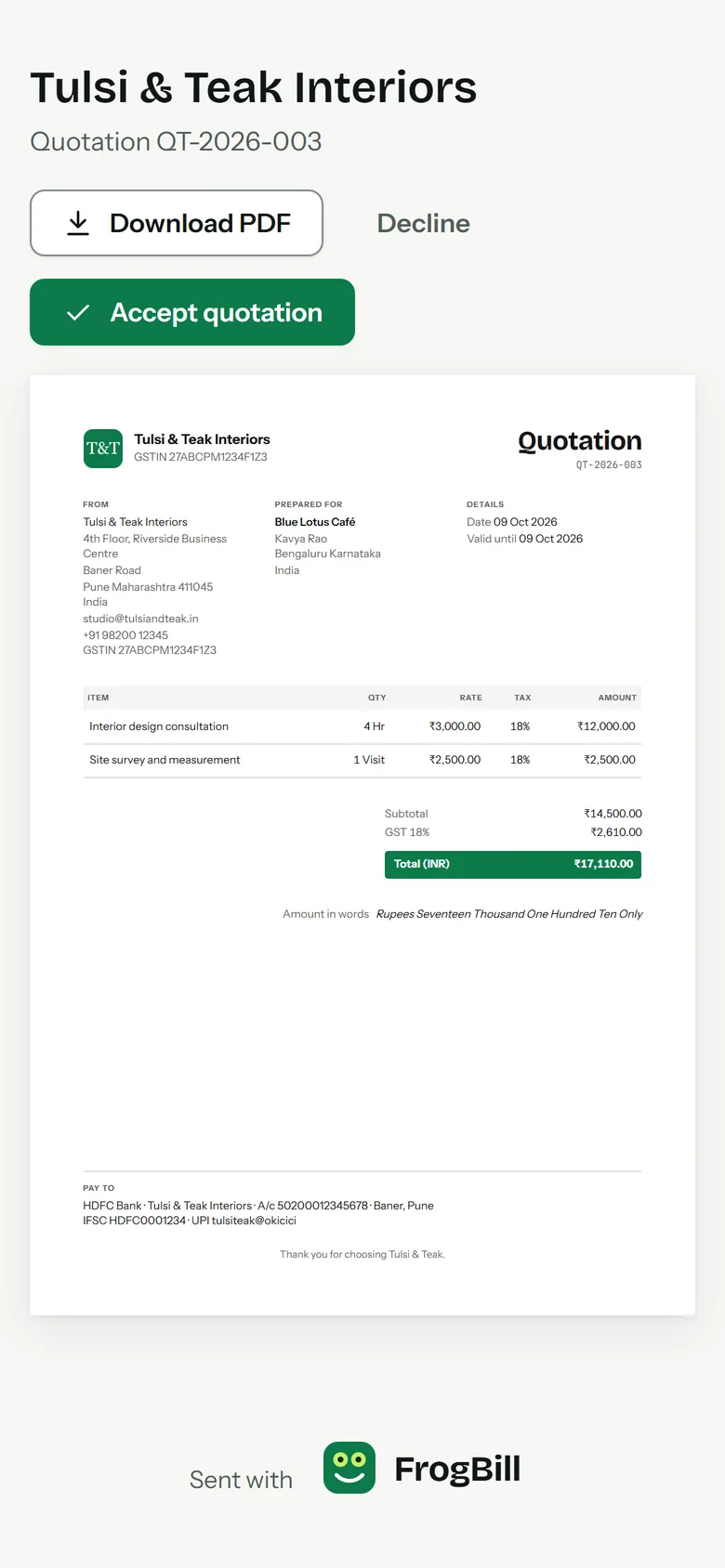
The customer accepts or declines from the link and signs with their finger. You're told straight away.
Mark extras as optional, such as a better finish or an AMC. The customer ticks what they want, and the total follows.
An accepted quote becomes the invoice, or a project with its stages billed one by one.
The quotation is the middle of the job, not the whole of it.
A lead from WhatsApp, a call or your website becomes a quotation in one click.
Sent on WhatsApp, with optional lines and your terms.
Signed online. Large jobs become a project with milestones.
Invoiced in one tap, paid by UPI, with reminders until it's paid.
Most small businesses quote in Word, Excel or a quotation maker app: type the customer's details, copy last month's rates, check the GST twice, export a PDF and attach it to WhatsApp. Then they wait, and when the customer finally says yes, they type it all again as an invoice.
Quotation software should take out every one of those steps. Your customers and products are saved, the tax is worked out, the quote goes out as a link the customer can act on, and the accepted quote becomes the invoice without retyping.
Every quotation carries your GSTIN and the customer's, tax on every line, and CGST and SGST or IGST worked out from the place of supply. In the Gulf, quotes show your TRN and VAT, in English or English and Arabic, in your currency. See our free AC service quotation format for what a good quote includes.
For interiors, contracting and installation work, split a quote into milestones, such as 40% advance, 40% on delivery and 20% on handover, and bill each one when it's reached. An accepted quotation can also become a project, with tasks from its lines, site visits, hours, costs and the profit on the job.
Any business that quotes before it works: AC and appliance service, electricians and plumbers, interior designers and fit-out contractors, pest control, repair and maintenance firms, agencies and freelancers. For service businesses, see AC service software and WhatsApp invoicing.
Quotations with online acceptance and signature are in every plan. Starter, at ₹99 a month, includes 50 quotations and 50 invoices a month; Business, at ₹299 a month, has no limit and adds leads, projects and WhatsApp reminders. Every plan starts with 30 days free. See all plans.
Yes. FrogBill runs in your phone's browser and can be added to your home screen like an app. Make, send and track quotations from anywhere.
They open the link you sent, tick any optional lines they want, and tap Accept. They can sign with their finger. You see the answer in FrogBill straight away.
Yes, in one tap, with every line, tax and discount carried across. For bigger jobs, bill it in milestones or turn it into a project.
Yes. Your logo, business details and terms go on every quotation, in one of ten designs.
Yes. Make one in the browser with our free quotation maker, or print one of our free formats. No sign-up needed.
Accepted online, invoiced in one tap. 30 days free, no card needed.